1.4Latest
Sluice in Chinese and Japanese.
Sluice now speaks Simplified Chinese and Japanese. It follows your Mac's language: every screen, every notification and the release notes.
Where it came from
Sluice was English only, and a lot of Mac developers work in Chinese or Japanese. So those two came first, in the app and on this site.
Simplified Chinese and Japanese
Every screen, notification and the release notes in the update window. Sluice follows your Mac's language; other languages keep English.
The command line and MCP server stay English
On purpose: scripts and agents always get the same output, whatever language your Mac is set to.
1.3
Sluice now works with your AI agents.
Sluice has an MCP server built in, so Claude Code, Cursor, Codex, Claude Desktop and other MCP apps can check disk space before a build and clear stale caches themselves.
Where it came from
My agents start the builds now, and they start them on a disk that is nearly full. On 8 November two builds at once filled my Mac mini to 99% and took the local development stack down. On the morning of this release it had 18 GB free again.
Why Sluice has an MCP serverAn MCP server for AI agents
Agents get five tools. It runs straight from the app, so there's nothing extra to install.
- disk_status: how much is free, and whether a build is running
- check_space: is there enough room before a build or a large download
- scan: what can go, per category and per item
- clean: removes what scan found, as a dry run by default
- history: recent cleanups and what started them
Guard rails for agents
A clean by an agent is a dry run unless the agent explicitly asks for a real one, and it's marked as destructive, so Claude Code asks you first. Only stale items go unless the agent names the categories, and nothing is cleaned while a build runs.
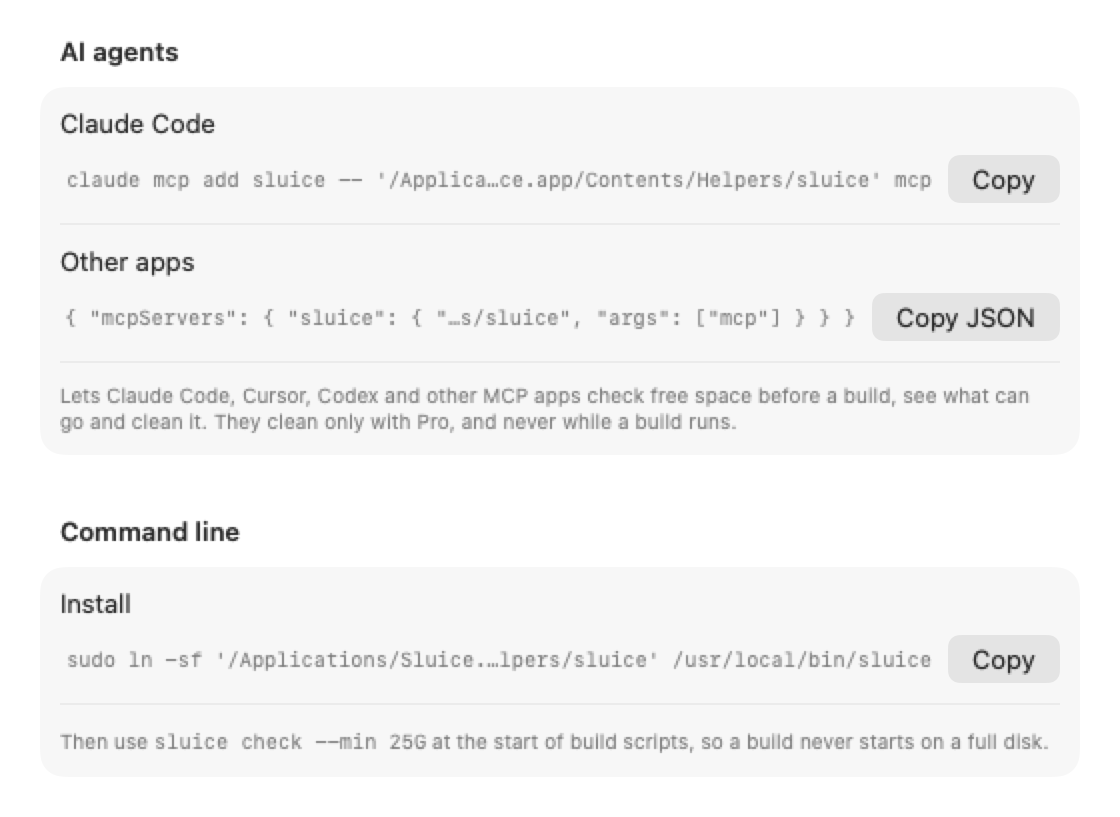
Settings > Agents
A new tab with the setup for Claude Code and for other MCP apps, ready to copy. The command line install moved there too.
Agent cleanups in History
Cleanups started by an agent show up in History with their own icon, so you can see what your agents did.
Free and ProPro
Checking space, scanning and dry runs are free. A real clean from an agent comes with Pro, like the command line's clean.
1.2
A public counter of freed space.
Sluice can add what it frees to a public counter on sluiceapp.com, if you want it to.
Where it came from
After the launch I wanted to see how much Sluice frees for everyone together, as one number that keeps growing. It had to work without knowing anything about anyone's Mac.
A public counter, if you want to join
After your first cleanup, Sluice asks once whether to add the space it frees to the public counter. It stays off unless you say yes, and you can change it under Settings > General.
What it sends
Only the number of bytes it freed and its version, after each cleanup: no id, file names, folders or details about your Mac.
1.1
Your projects' build folders, and more tools.
Sluice now looks inside your code folders for build output, and knows about Rust, Go and a longer list of package managers.
Where it came from
Version 1.0 cleaned the caches that tools share. But I work in a lot of worktrees, and every one of them has its own node_modules, target and .venv. Those were the next thing filling my disk.
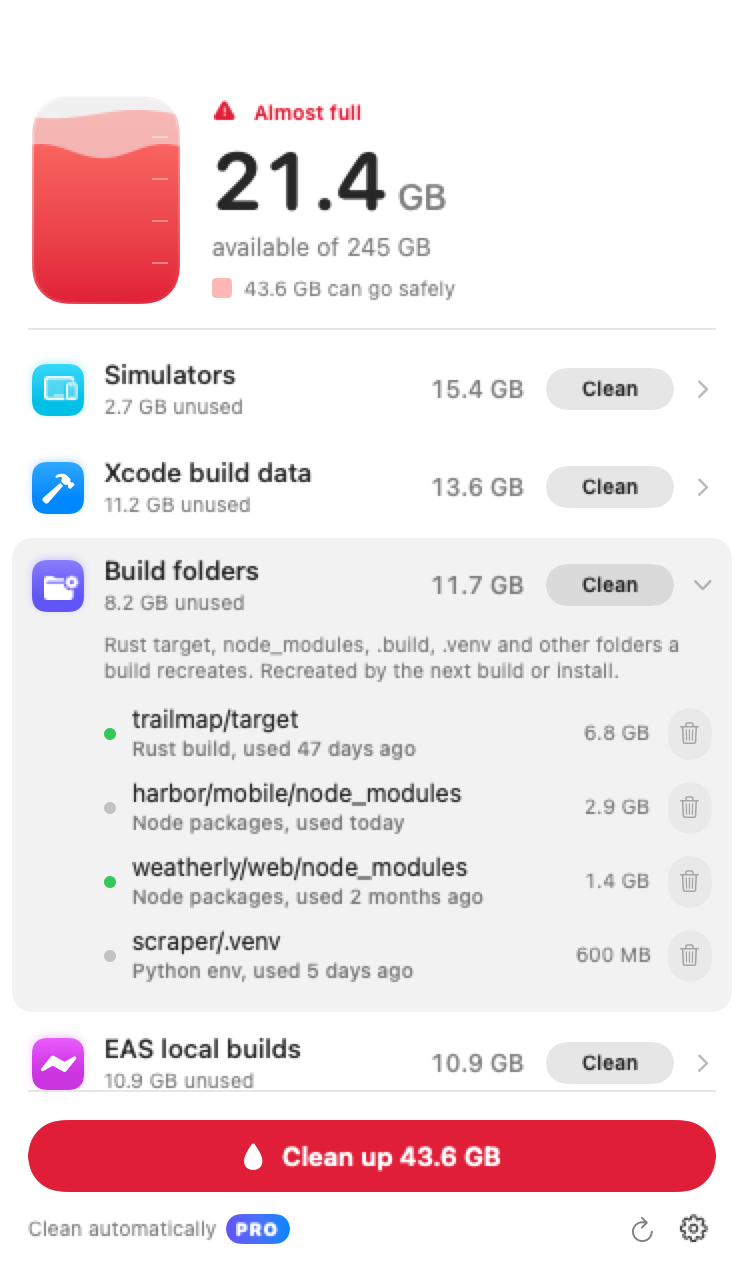
Build folders in your projects
Sluice finds build output in your projects and offers it for cleaning, but only when the file that recreates it sits next to it. Each item shows when the project was last used, counting git activity. Build folders are cleaned by hand by default.
- Rust and Maven target (Cargo.toml, pom.xml)
- node_modules, .next, .nuxt, .svelte-kit, .turbo, .parcel-cache (package.json) and .angular
- Swift .build (Package.swift) and CocoaPods Pods (Podfile)
- Gradle build, .gradle and .cxx; Flutter and Dart build and .dart_tool
- Python .venv and venv (pyproject.toml, requirements.txt, setup.py or Pipfile)
- Elixir _build and deps, Zig zig-out and .zig-cache, Haskell .stack-work and dist-newstyle
Choose your code folders
A new Code folders setting under General decides where Sluice looks. The default covers the usual places: ~/Developer, ~/Projects, ~/Code, ~/src and the like.
Rust and Go
Cargo's registry and git caches are cleaned, and rustup toolchains other than your default are offered by hand. Go's build cache is cleaned automatically when it's stale, through go clean; the module cache stays manual.
More package caches
uv, Poetry, Maven (~/.m2), Composer, NuGet and Deno, plus old Playwright browser versions. The newest version of each browser is kept.
Waits for more builds
Builds by cargo, go, Maven and uv now count as running builds, so Sluice waits until they're done before it cleans.
Pro keeps workingPro
Pro is a yearly license. If you stop renewing, Pro keeps working in every version released while your license was active.
1.0
The first release.
A menu bar app that shows how much room is left on your Mac and clears what developer tools leave behind.
Where it came from
My disk was full every day. I built Sluice for myself, and the first afternoon I ran it on my own Mac it freed 61 GB. That number is why I released it.
Why I built SluiceThe menu bar panel
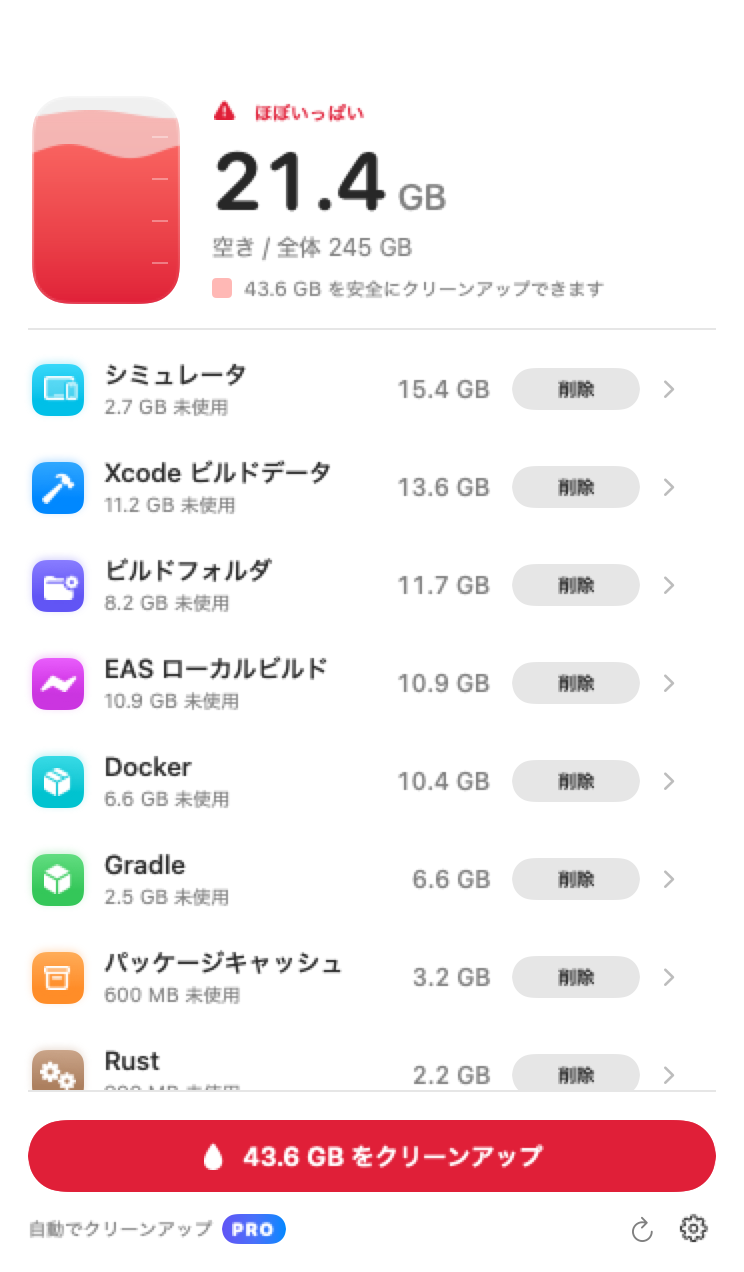
How much room is left, what can go per category, and one button to clean it.
Knows developer tools
Xcode build data, simulators, Docker and OrbStack, Gradle, EAS local builds and package caches.
Guard rails
Only removes what comes back by itself, never cleans while a build runs, and refuses any path outside the folders a category owns.
A command line tool
sluice status, check, scan and clean, so a release script can check for room before it starts.
Updates itself
Signed and notarized by Apple, with automatic updates.
The next one can come from you
If a tool that eats your disk is missing, or Sluice did something you didn't expect, write to hallo@qraft.nl. I read everything, and that's where the next release starts.